
Step 13Business owner
Create a voucher batch
Generate traceable voucher stock for the owner or a named agent.
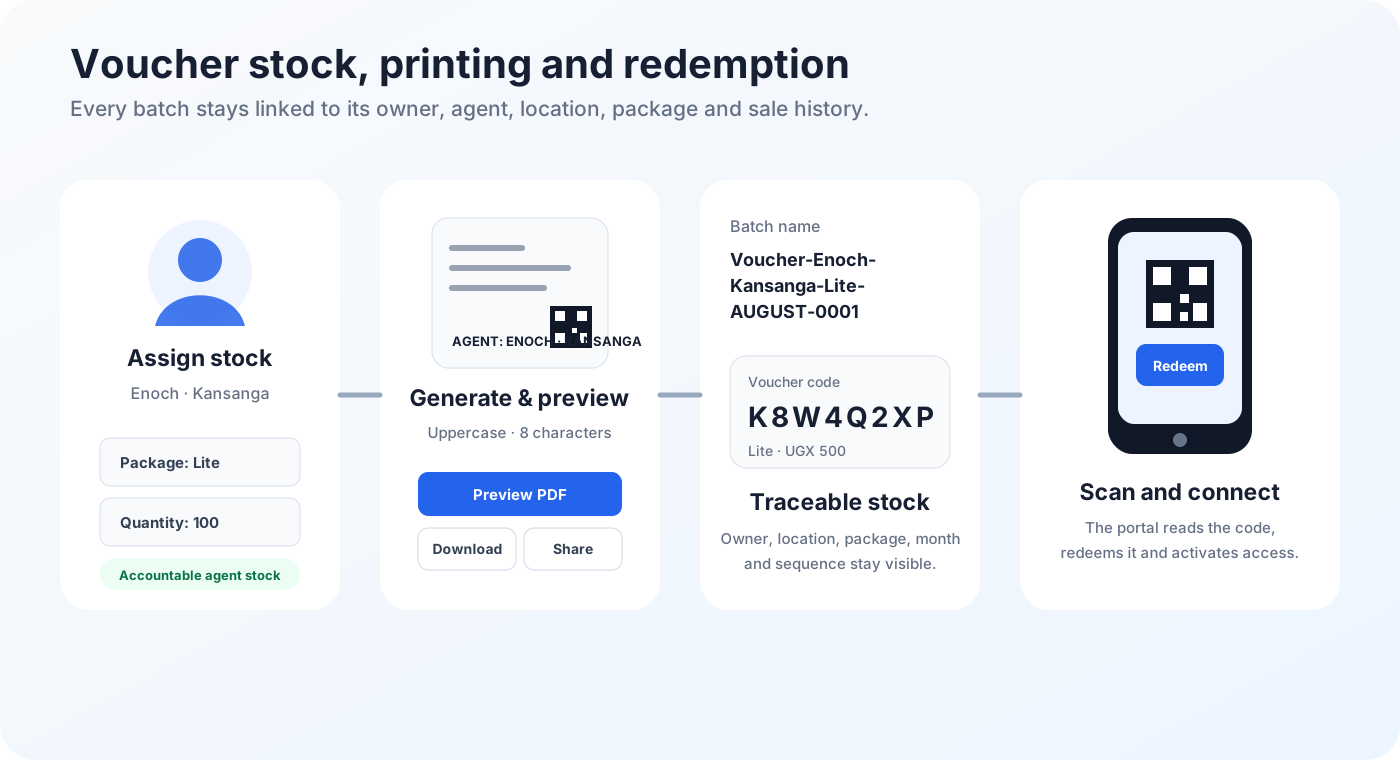
Generate the batch
- Open Vouchers.
- Select Create Batch or Generate Vouchers.
- Choose Main / Owner stock when the business will sell the vouchers directly.
- Choose an agent when the vouchers should be accountable to that agent.
- Select the internet package.
- Enter the quantity.
- Choose uppercase, lowercase, mixed or numeric code format.
- Choose the code length.
- Set an expiry date only when the stock must stop being valid on a fixed date.
- Review agent, location, package, quantity and value.
- Generate the batch once.