
Step 4Business owner
Create internet packages
Define the price, time, speed, quota and device rules before selling access.
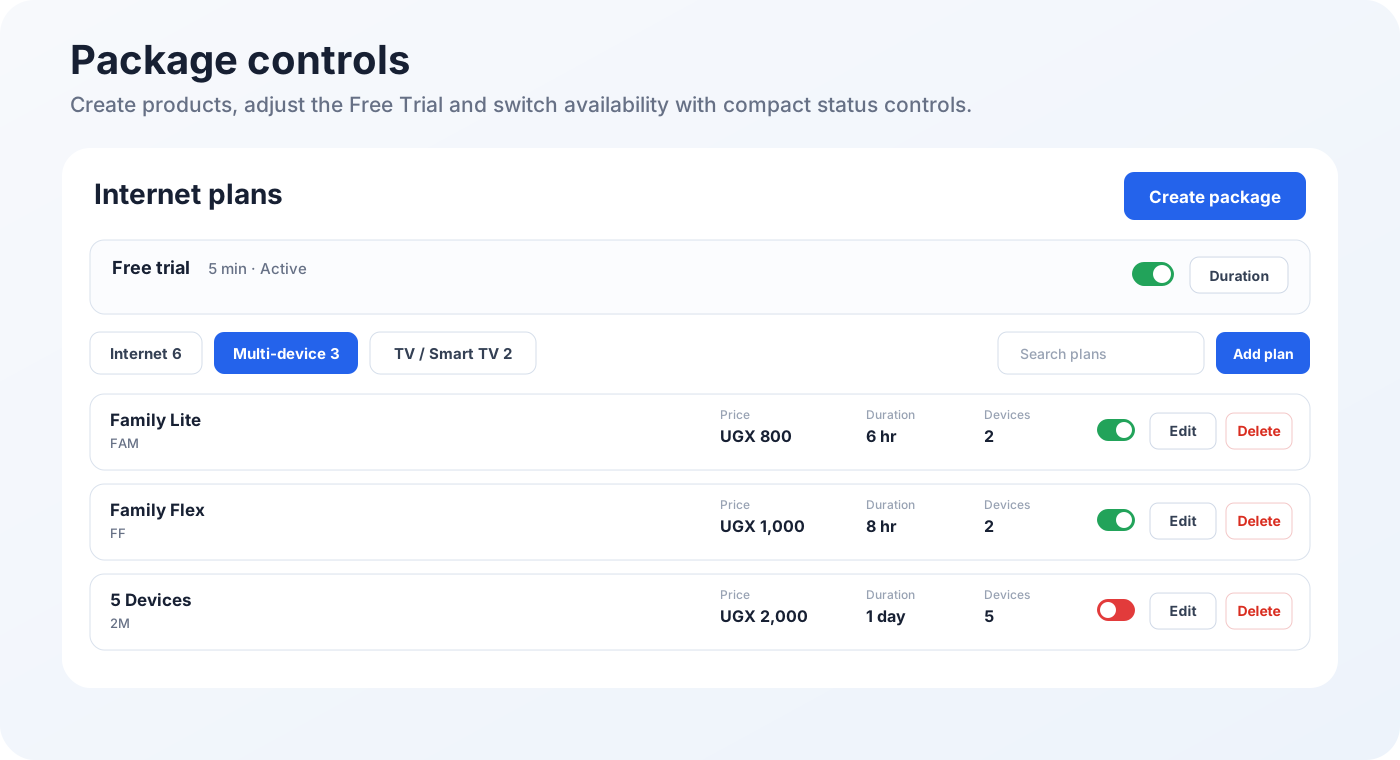
Create a normal internet package
- Open Packages.
- Select Add Package or Create Package.
- Choose Internet for a normal phone or computer package.
- Enter a short customer-friendly name such as 1 Hour, 4 Hours or 24 Hours.
- Enter the selling price in your business currency.
- Set the exact duration.
- Set download and upload speed limits when required.
- Set a data quota only when the package should stop after a fixed amount of traffic.
- Set the device limit. Use one device for a normal package.
- Mark the package active and visible on the portal, then save.
Create other package types
| Package type | How to set it up |
|---|---|
| Multi-device | Choose Multi-device and set the maximum number of customer devices. |
| Smart TV | Choose TV / Smart TV and use the television wireless MAC address during purchase. |
| Free Trial | Open the built-in trial settings, set the allowed duration and enable or disable it. |